1. Why?
- Your machine has no AMD / Nvidia graphic card, but you still want to use hashcat.
- You want it more stable and faster than pre-installed driver (beignet)
- Hashcat doesn't detect your devices (even if beignet was pre-installed)
2. How?
- Remove beignet:
sudo apt purge beignet
- Download
opencl_runtime_16.1.2_x64_rh_6.4.0.37.tgzfromhttp://registrationcenter-download.intel.com/akdlm/irc_nas/12556/opencl_runtime_16.1.2_x64_rh_6.4.0.37.tgz. Currently, Intel opencl has github project with 18.X versions. All 18.X versions don't work for me, and 16.1.2 version is latest workable version I can find. - Extract downloaded file
tar -xvf opencl_runtime_16.1.2_x64_rh_6.4.0.37.tgz
Then run
install.sh
If you have missing libraries in this step (screenshot bellow), you can exit installation and install libraries. If there is only lsb-core>=4.0 is missing, you can move to next step (it worked for me).
- Accept their license, choose next and wait.
- Hashcat now detect my devices (it shows error with beignet driver)
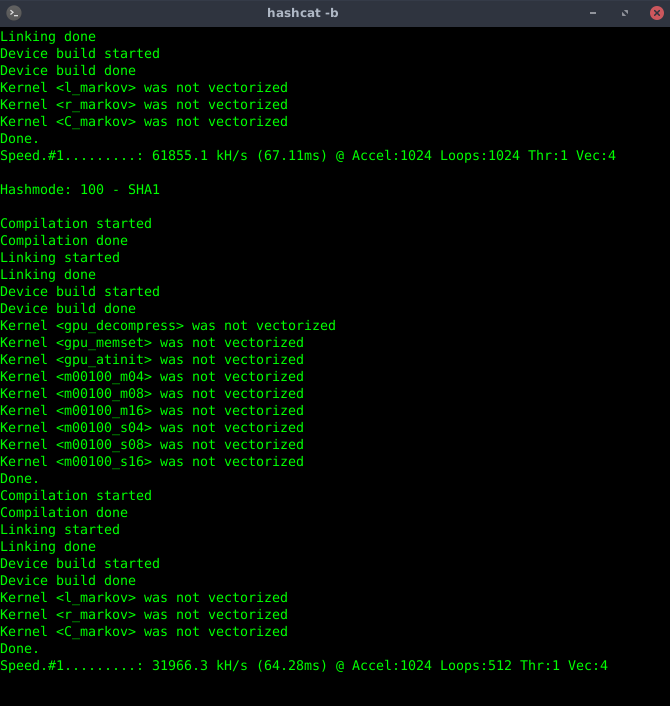
- Benchmark is not very fast (compare AMD / Nvidia devices) but it looks faster than beignet
Written by dmknight
If you run into any issues please post in support on the forum.
Using Parrot | Troubleshooting | Linux Beginner Guide | Home